Step-by-step guide to creating your first AI Actor in Vocalis. Configure voice, write a Purpose, define insights, and set up reports — no code required.
An AI Actor is your AI-powered interviewer. This guide walks you through setting one up.
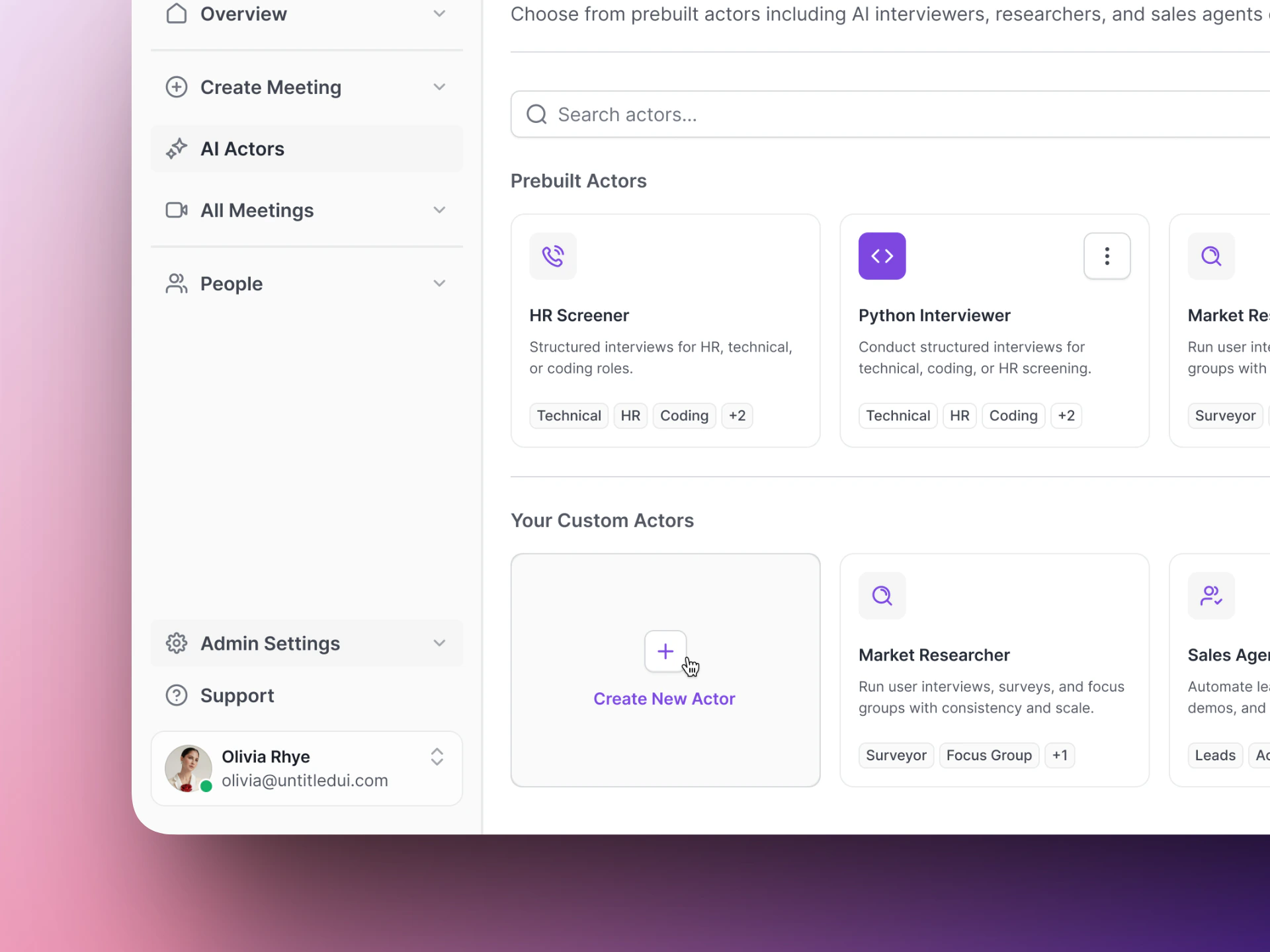
Your AI Actors page — click Create Actor to get started.
The setup wizard has four steps:
1
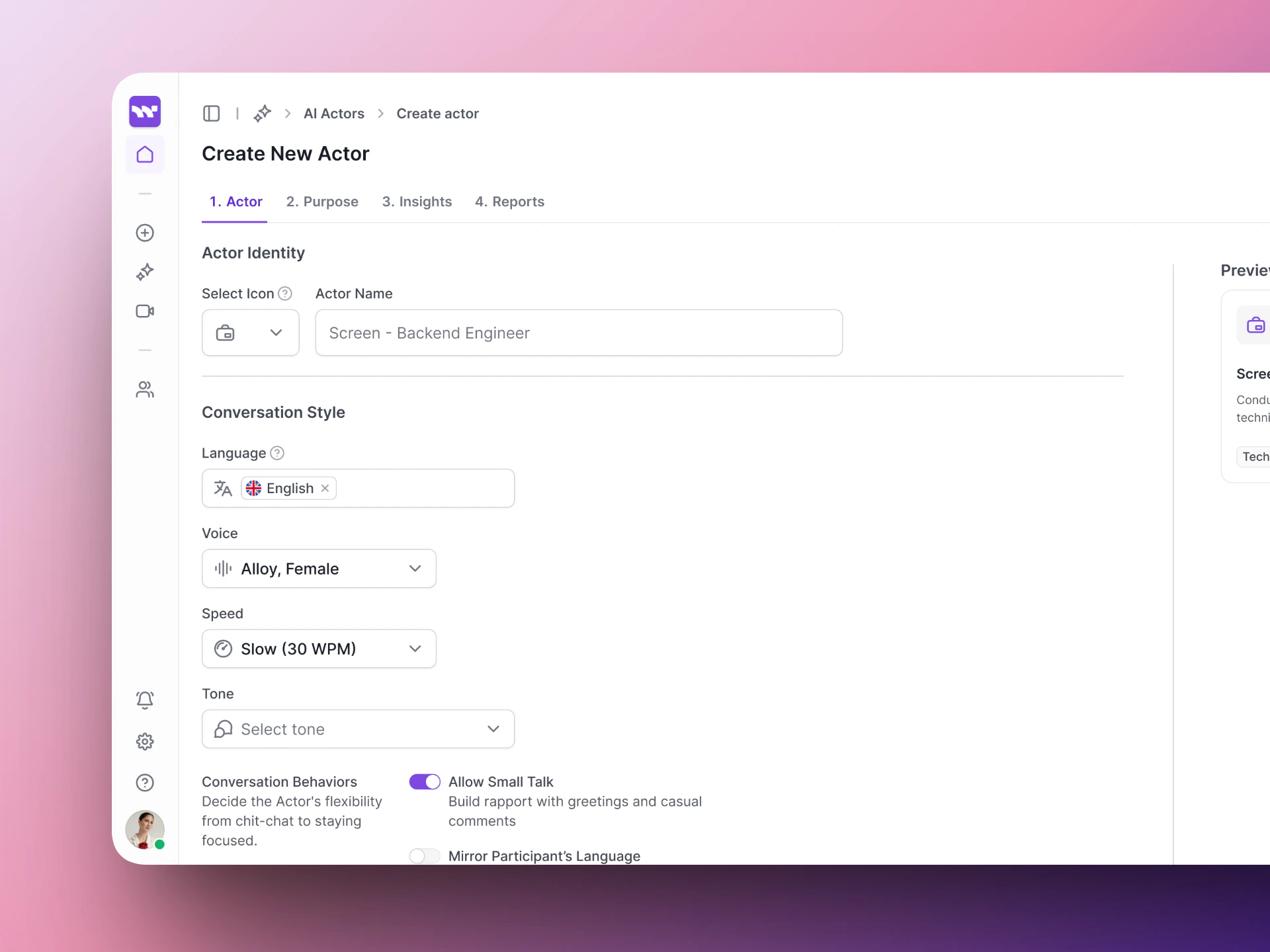
Actor — name and voice
Give your AI Actor a name and choose how it sounds.
Name — A display name for your team (e.g., “Screen - Backend Engineer”). Candidates do not see this.
Voice — Pick a voice model. Each has a different tone and feel.
Language, tone, and speed — Set the conversational style.
Step 1: Give your AI Actor a name and choose its voice and style.
2
Purpose — the instructions
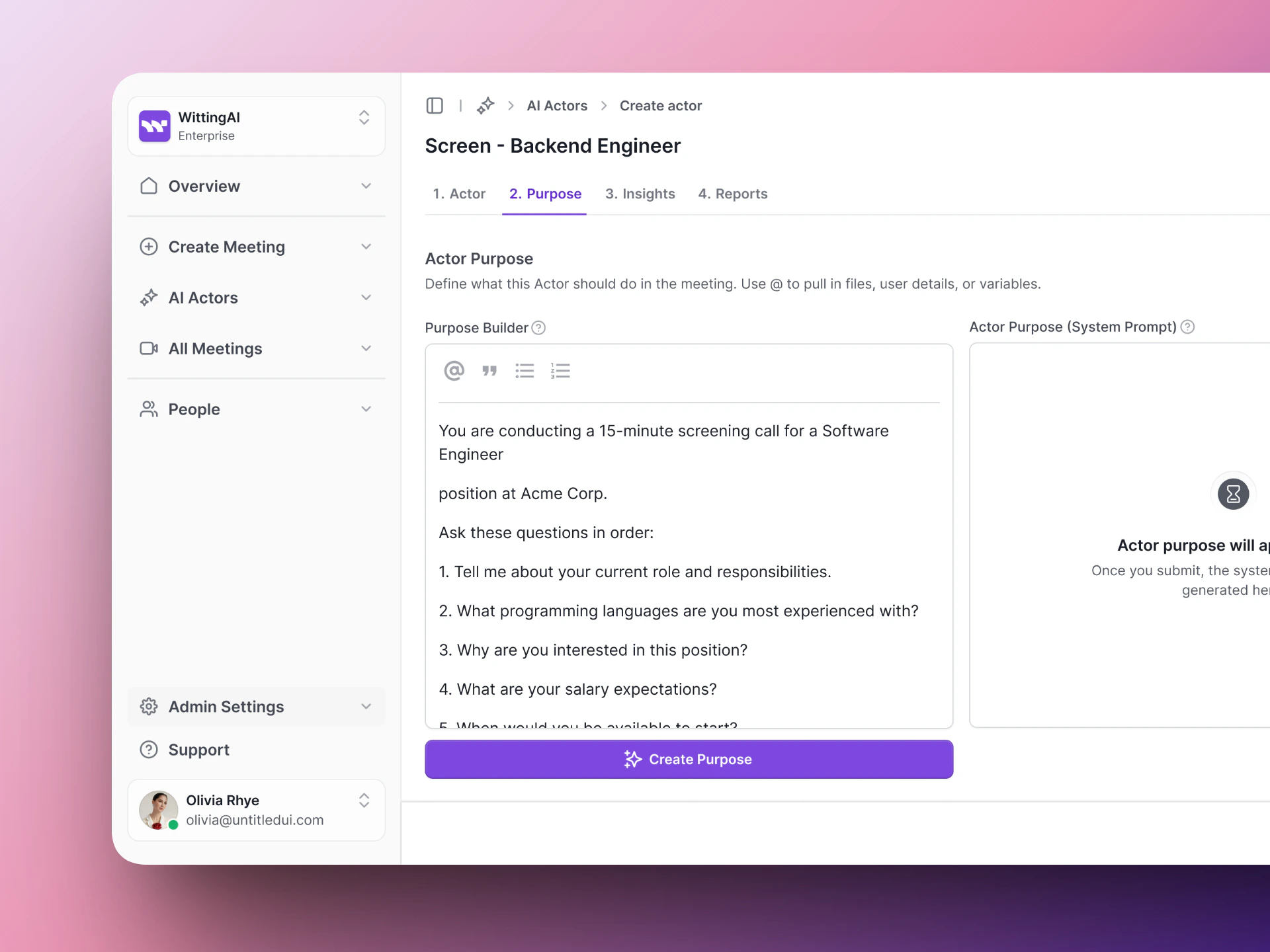
Write the instructions that tell the AI what to do during the interview. A good Purpose includes the context, the questions to ask, behavior guidelines, and evaluation criteria.Here is a simple starting point:
You are conducting a 15-minute screening call for a Software Engineerposition at Acme Corp.Ask these questions in order:1. Tell me about your current role and responsibilities.2. What programming languages are you most experienced with?3. Why are you interested in this position?4. What are your salary expectations?5. When would you be available to start?Be friendly and conversational. If the candidate gives a short answer,ask a brief follow-up to get more detail.
See Actor Purpose for tips on writing better instructions.
Step 2: Write the Purpose — your AI Actor's instructions for the interview.
3
Insights — what data to extract
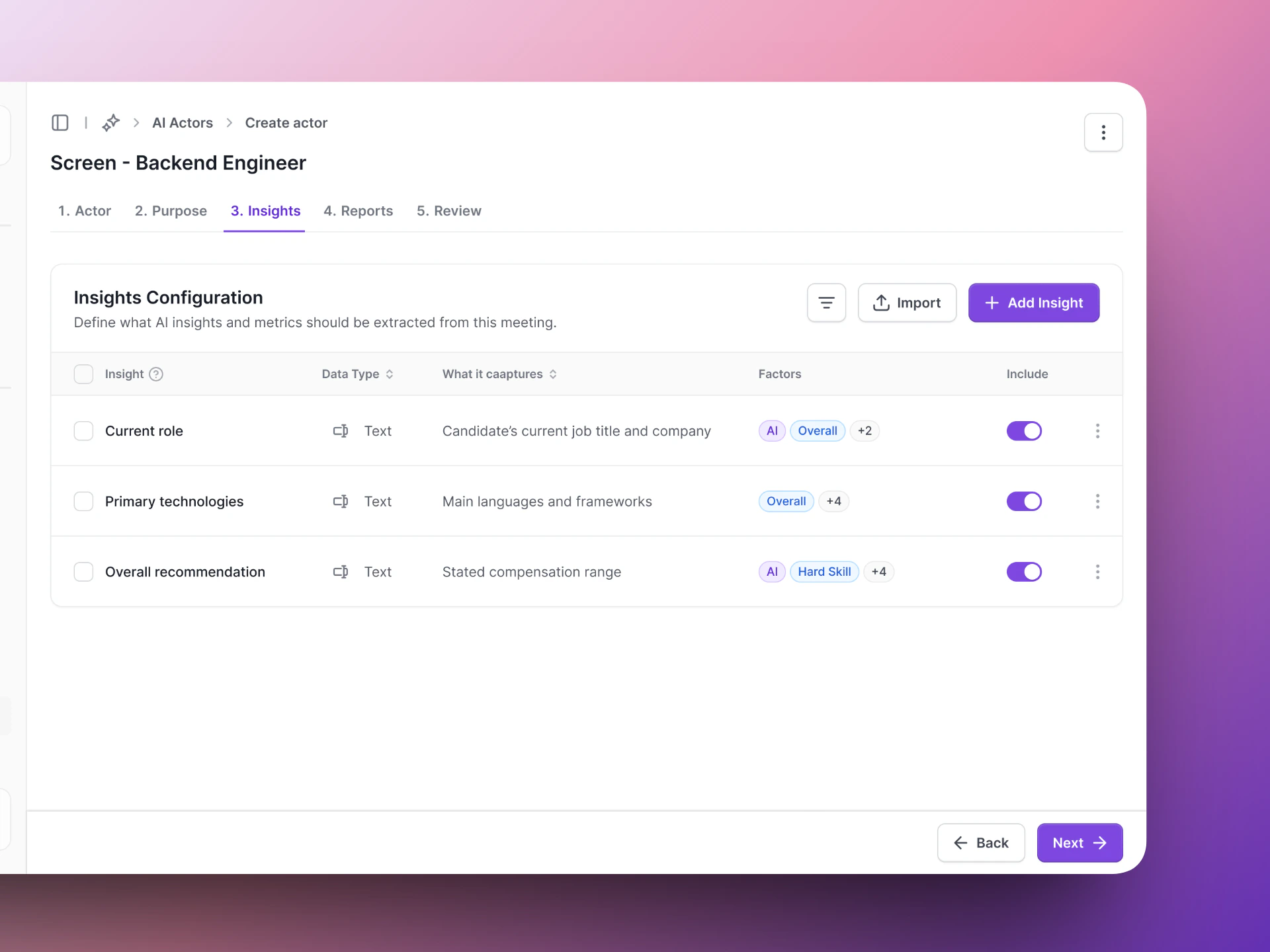
Define the structured data points Vocalis should pull from each conversation. Click Add Insight and set a name, type, and description for each one.Example insights:
Insight name
Type
What it captures
Current role
Text
Candidate’s current job title and company
Primary technologies
Text
Main languages and frameworks
Salary expectations
Text
Stated compensation range
Overall recommendation
Text
Strong Yes / Yes / Maybe / No
Step 3: Define what insights to extract from each conversation.
4
Reports — how results are packaged
Configure how interview results are summarized. Review the settings and click Save to create your AI Actor.
Step 4: Configure reporting and save your AI Actor.