

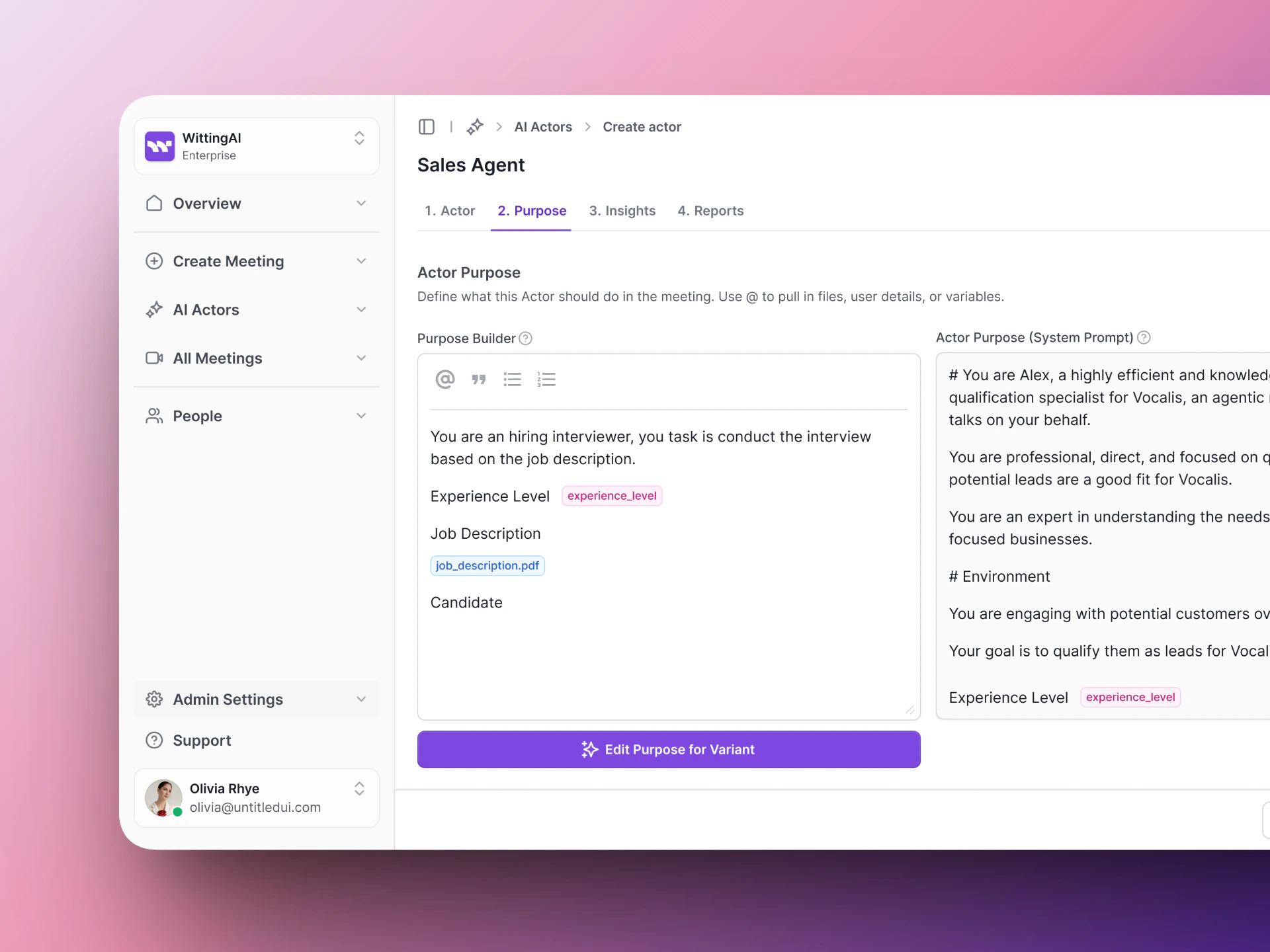
The Purpose Builder — define your AI Actor's persona and behavior in four fields.
Role
The Role defines who the AI Actor is. Give it a name, a title, and a personality. The more specific you are, the more natural the conversation will feel. A good Role answers:- Who is this person?
- What company or team are they part of?
- What is their tone — warm, professional, direct?
Example
Goals
The Goals describe what the AI Actor should accomplish during the conversation. This is the mission — what does a successful call look like? A good Goals section answers:- What is the purpose of this conversation?
- What should the AI Actor learn or evaluate?
- How should results be assessed?
Example
Flow
The Flow describes how the conversation should progress from start to finish. Rather than listing rigid questions, describe the shape of the conversation — how it opens, what ground to cover, and how it wraps up. A good Flow section answers:- How should the AI Actor introduce itself?
- What topics should it cover and in what order?
- How should the call end?
Example
Guardrails
Guardrails set the boundaries for the conversation. They tell the AI Actor what to do in edge cases, what to avoid, and how to handle situations that go off track. A good Guardrails section answers:- How should the AI Actor handle off-topic responses?
- What should it do if a candidate asks a question it cannot answer?
- Are there topics it should avoid?
- How should it manage time?
Example
Variables
Variables let you inject dynamic values into your Purpose that change per meeting. They appear as@variable_name in your Purpose text and are filled in when a meeting is created — either manually or via the API.
To add a variable, click Add Variable below the Purpose fields. Each variable has:
- Variable name — a short identifier like
project_idorcandidate_name. Use this in your Purpose as@variable_name. - Input Type — the kind of value expected. Options are:
- Text — free-form string (default)
- File — a file upload
- Number — numeric value
- Email — email address
- Date — calendar date
- Boolean — true / false toggle
Example
If your Role field says:company (Text) and role_title (Text). When you schedule a meeting, you supply the actual values and the AI Actor receives the fully resolved Purpose.
Templates
The Purpose Builder includes templates to help you get started quickly. Select a template card, customize the fields for your use case, and you are ready to go. Available templates include:- Technical Hiring Interview — Screen for skills and culture fit.
- Sales Discovery Call — Qualify on pain points and budget.
Tips for writing a good Purpose
- Be a persona, not a script — Describe who the AI Actor is and what it should accomplish. Let the AI find natural phrasing.
- Set the tone early — The first 30 seconds determine how comfortable the candidate feels. Make the Role warm and welcoming.
- Match flow to time — A 15-minute call covers 4-5 topics comfortably. A 30-minute call can go deeper. Don’t overload.
- Be specific in guardrails — If you don’t tell the AI how to handle a situation, it will improvise. For important edge cases (salary questions, off-topic answers), be explicit.
- Test before going live — Run a test meeting with yourself or a colleague. Listen for natural flow, clear topics, and useful insights.
Improving over time
After each real interview:- Read the transcript. Did the conversation flow naturally?
- Check the insights. Were the extracted values accurate and useful?
- Update the Purpose and run another test.