

Opening meeting results
You can reach the results page from three places:- Create Meeting — After creating a batch meeting, click a completed row in the batch meeting table.
- All Meetings — Open the Meetings list and click any meeting with a Completed badge.
- Calendar — Click a completed meeting on the calendar view.
- Regenerate Insight — Re-run insight extraction on the existing conversation. Useful when you update your Actor’s insights after a meeting has already completed — regenerating applies the new configuration without needing another interview.
- Export PDF — Download the full results as a PDF report.
Insights
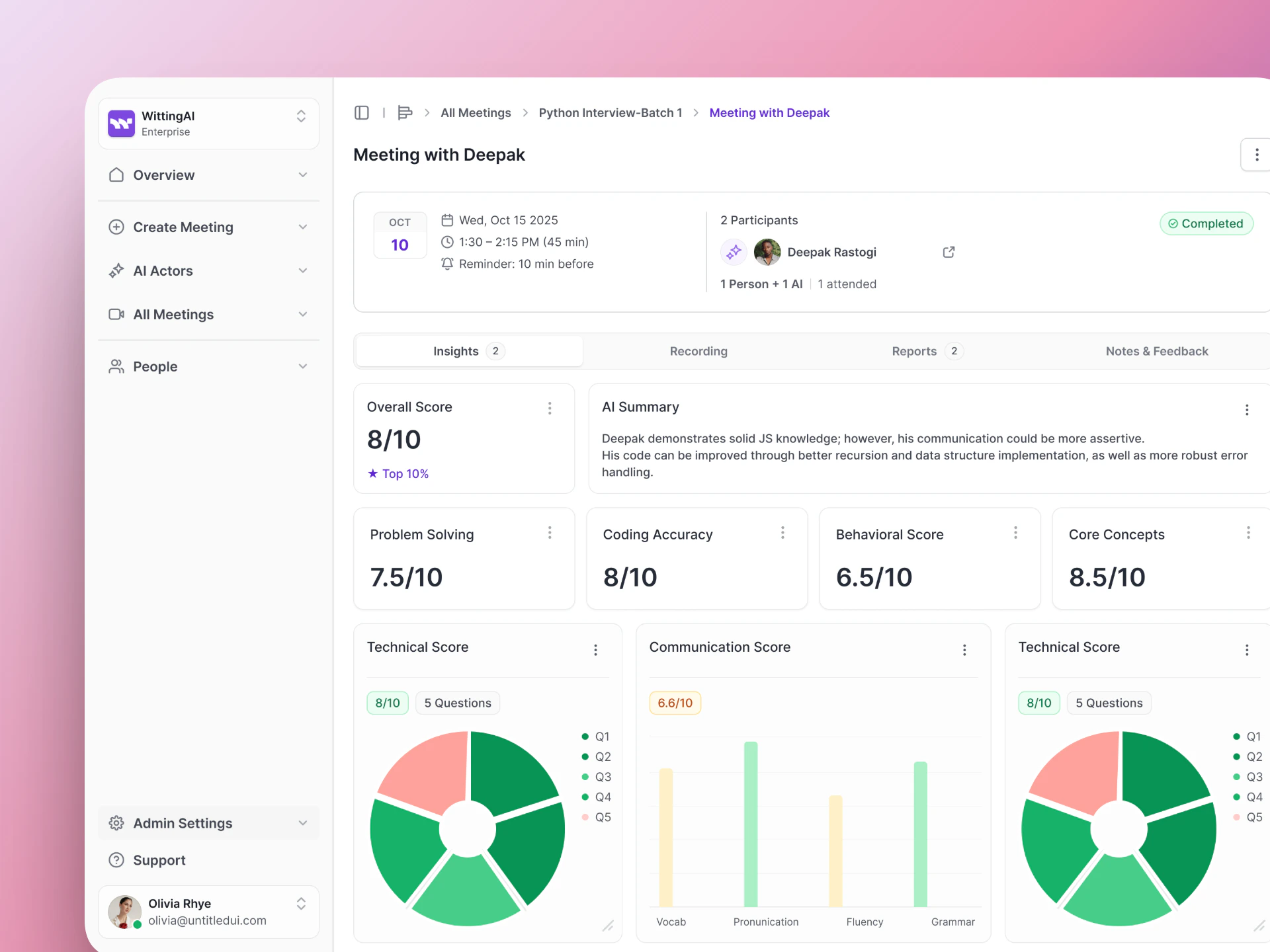
The Insights tab shows scores, text summaries, and charts extracted from the conversation.
Insights give you structured, comparable data across all candidates — without reading the full transcript.
Recording
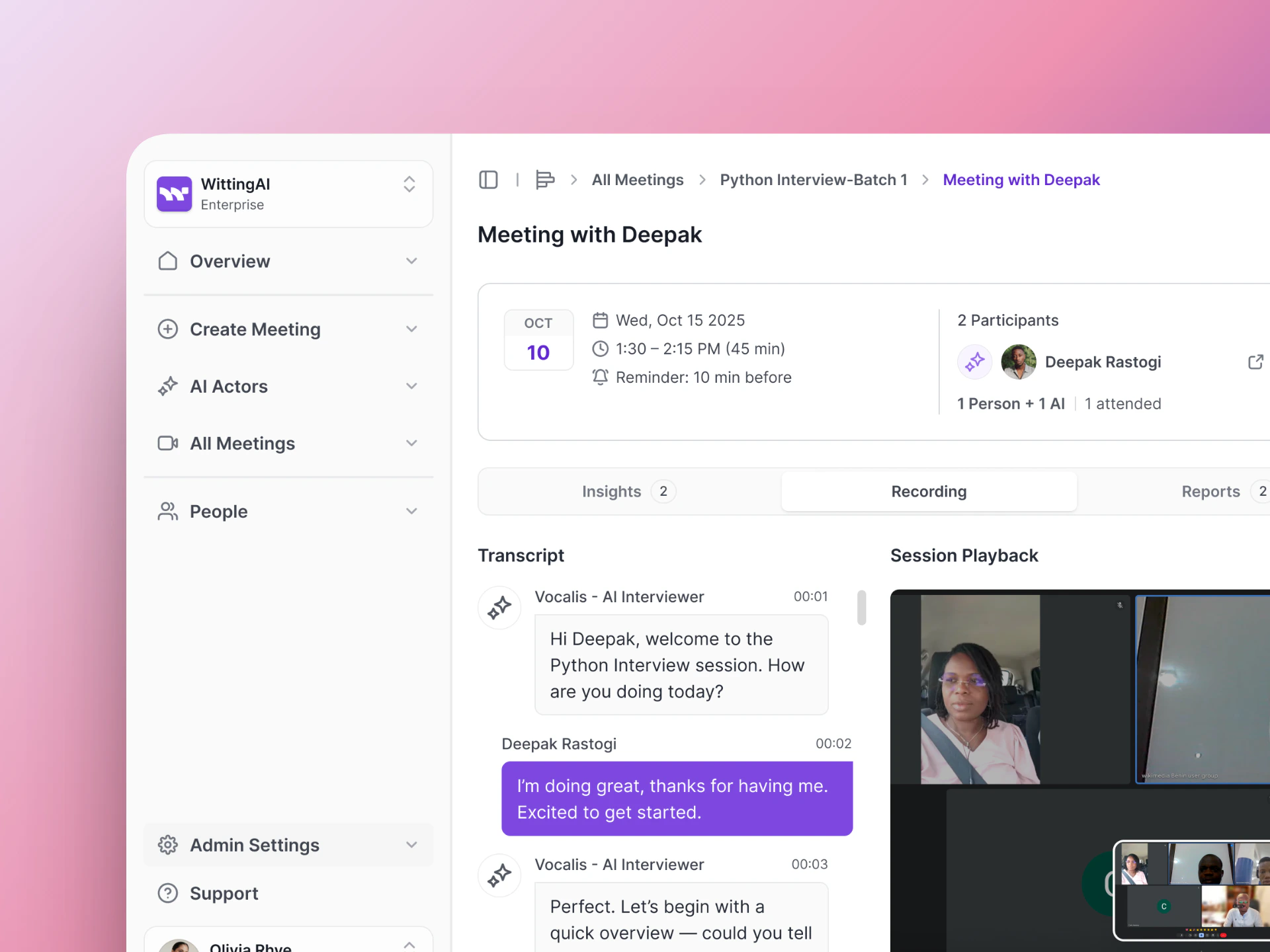
The Recording tab shows the full transcript alongside the session playback video.
- Transcript — The complete conversation, word for word. Each message is labeled with the speaker name and a timestamp.
- Session Playback — The video or audio recording of the call. For Google Meet interviews, this includes video. For phone calls, this is audio only.
Using results to improve
If insights are not capturing the right information:- Check the Purpose — Is the AI Actor asking about the topics that map to your insights?
- Check the Insight descriptions — Are the purpose descriptions specific enough for the AI to extract the right values?
- Run another test with the updated configuration.
Next steps
Actor Insights
Adjust what data gets extracted.
HR Use Cases
See hiring-specific workflows.