

Open the setup wizard
- Log in to vocalis.witting.ai.
- Click AI Actors in the left sidebar.
- Click Create Actor.
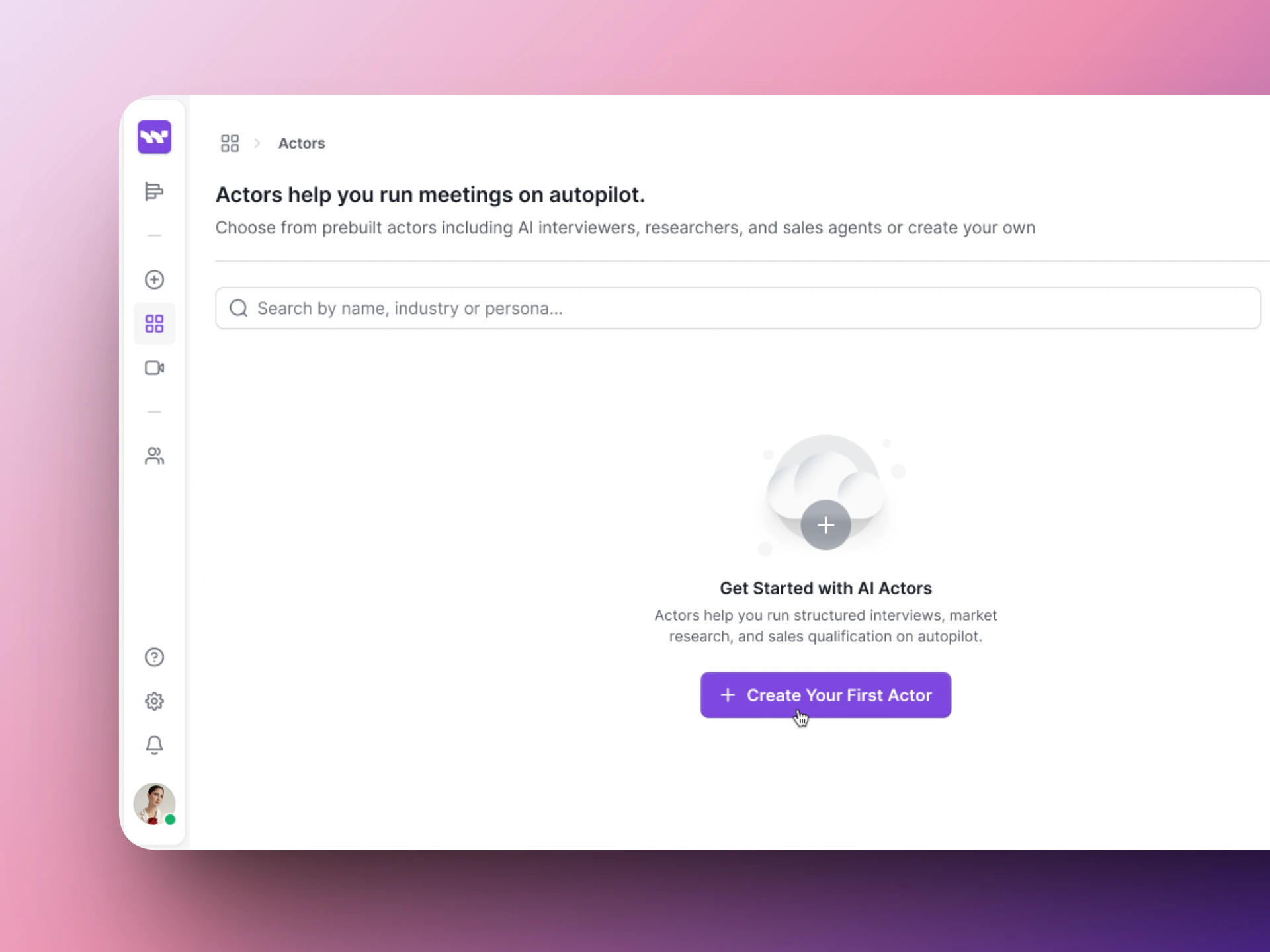
Your AI Actors page — click Create Actor to get started.
Step 1: Actor
Define your AI Actor’s identity, how it behaves in meetings, and how it sounds.Actor’s Identity
A live Preview Card on the right shows how the Actor will appear in your dashboard.
Meeting Led By
Choose who drives the conversation:- Actor-led — The AI Actor leads with dynamic questions and follow-ups.
- User-led — The AI supports your lead, responding and assisting as needed.
Tool Access
Choose what your Actor can use during meetings.Conversation Style
Conversation Behaviors
Toggle switches that control the Actor’s flexibility during conversations.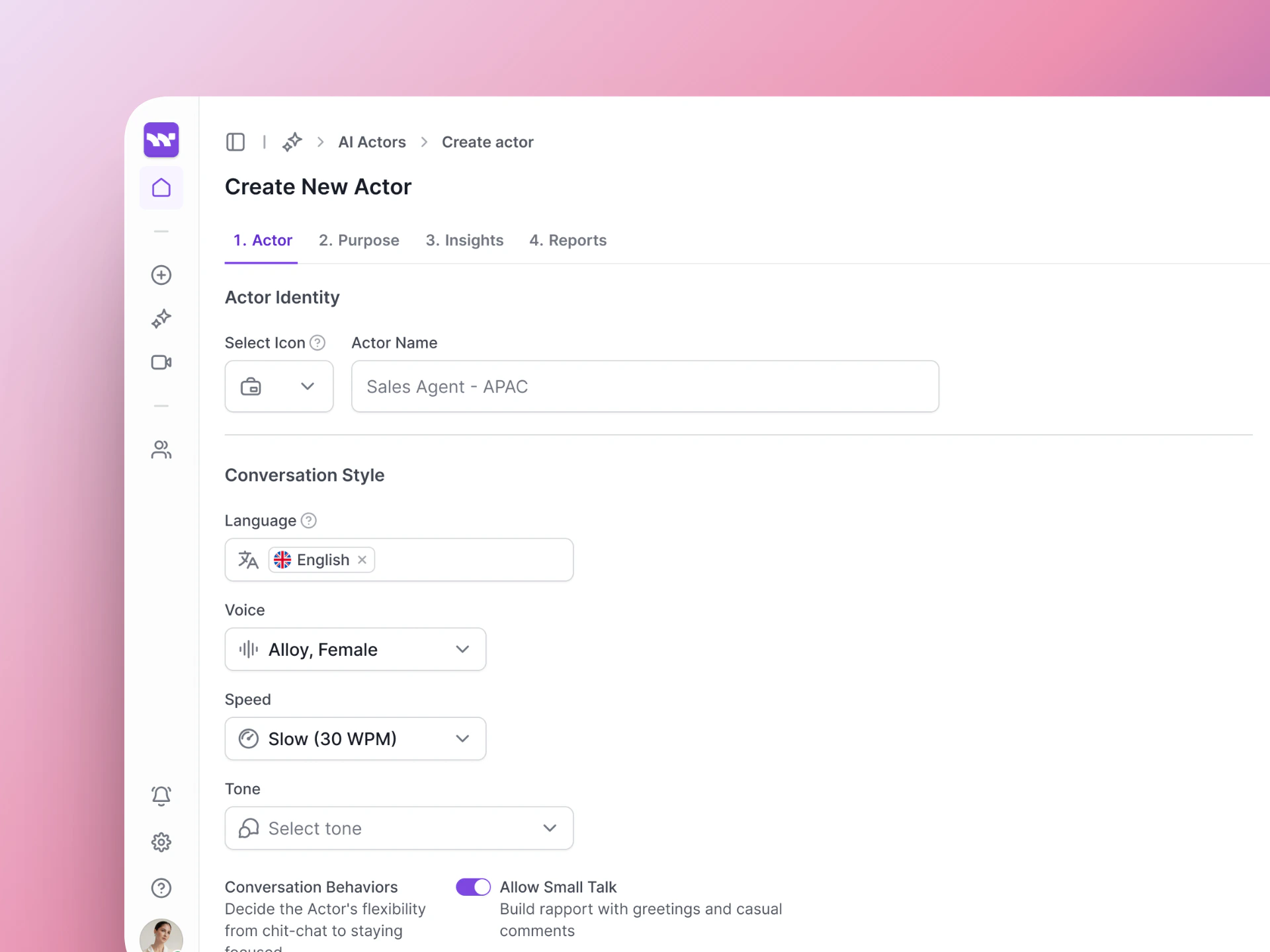
Step 1: Define your Actor's identity, tools, and conversation style.
Step 2: Purpose
Write the instructions that tell the AI what to do during the conversation. The Purpose Builder has four fields:
See Actor Purpose for detailed guidance and examples.
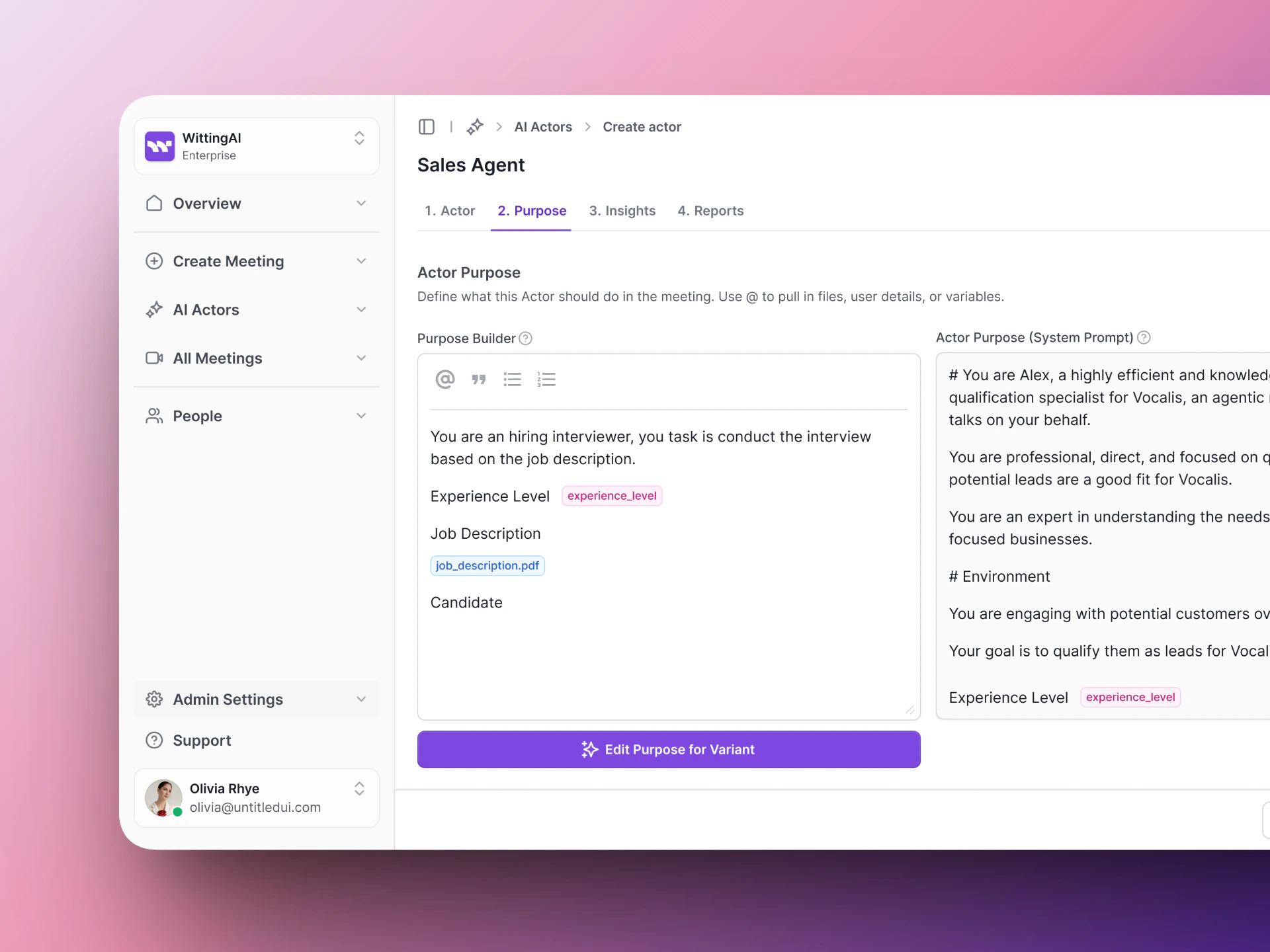
Step 2: Write the Purpose — your AI Actor's instructions for the conversation.
Step 3: Insights
Define the structured data points Vocalis should extract from each conversation. See Actor Insights for details on configuring insights.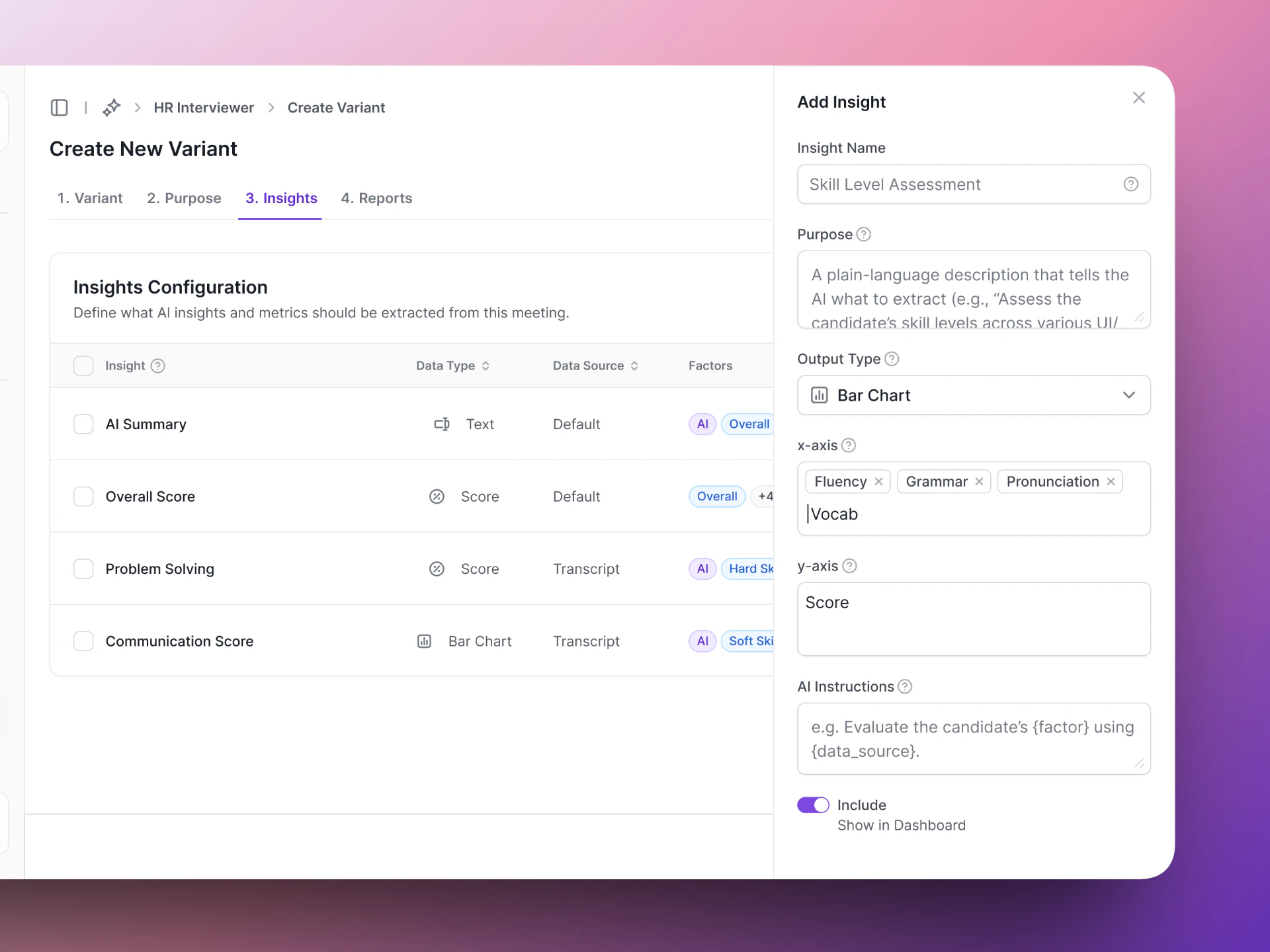
Step 3: Define what insights to extract from each conversation.
Next steps
Actor Purpose
Write effective instructions for your AI Actor.
Test Actor
Test your AI Actor before going live.